NEW! Get the updated X9 Analyzer Plus. Learn More

OPEX® Integration
Intelligent Document Processing Software for OPEX Scanners
Maximize Your OPEX Solution with MavBridge™
MavBridge from Mavro Imaging is designed to work seamlessly with OPEX scanners and the OPEX Insight™ Dashboard. It automates the entire post-scan workflow process with patented automation features, analytics, intelligence and security and eliminates the need for pre-sorting or manual identification of document types.
MavBridge takes the unstructured stream of scanned items (envelopes, checks, forms, x-rays, and even complex documents), automatically classifies them, and then accurately sorts, routes, processes, and organizes them according to your downstream business rules.
This allows MavBridge clients to eliminate the legacy requirement that documents be pre-identified and pre-sorted for scanner capture. The result is a faster, more efficient workflow that reduces manual intervention, minimizes errors, and lets your OPEX scanners perform at their full potential.
Mavro Makes the Most of OPEX
As an OPEX Diamond Partner and frequent OPEX Reseller of the Year, Mavro has delivered more OPEX installations than any other provider. Our MavBridge software is continually enhanced to maximize the full range of OPEX scanning capabilities.

-
 Labor savings of up to 75%
 -
Scanning capacity increase of 50%+
-
Consistent ROI of <12 months
Optimized for OPEX
Pair the speed and quality of OPEX scanners with the automation and workflow controls of MavBridge software for the optimal solution.

One-Touch Processing
Combine OPEX One-Touch Scanning with MavBridge One-Touch Processing

OPEX Insight™
MavBridge seamlessly integrates with OPEX Insight for a unified Dashboard

Smart Track™
Patented technologies like Smart Track and Smart Batching™ enable automated workflows

Free Software Upgrades
Free Mavro software upgrades and enhancements

300+ Installations
Expert integration with over 300 installs completed to date

Top Customer Support
Industry leading, 100% US-based customer support, with response times under 2 minutes
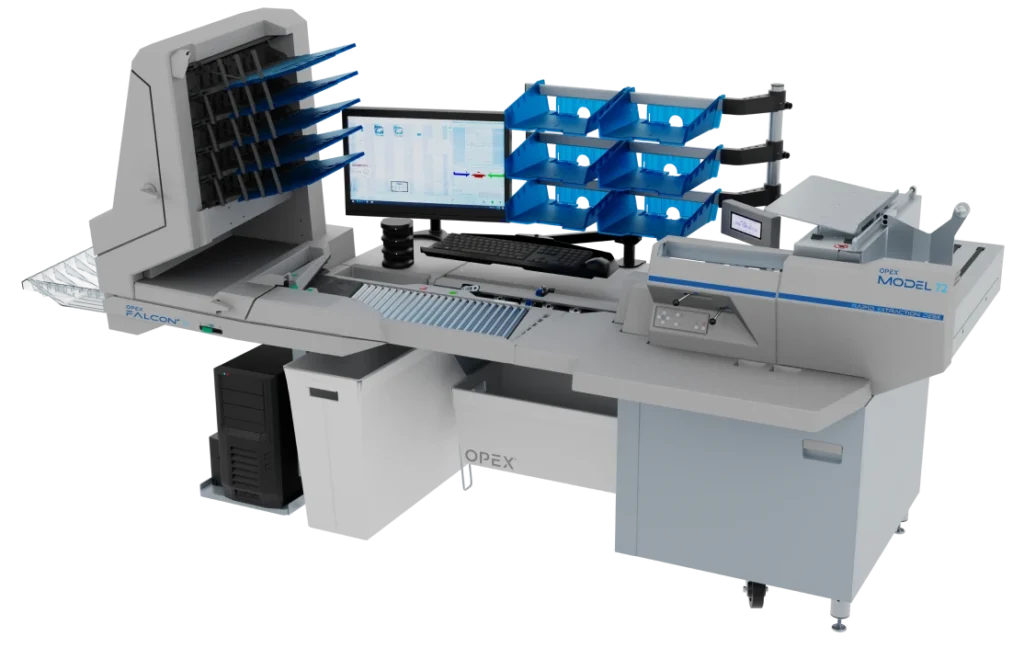
OPEX Falcon+® RED™
OPEX FalconV+® RED™
Ideal for scenarios requiring immediate envelope opening, extraction, and scanning to reduce labor costs, while increasing content security and handling mixed-size documents without prep.
- Digital mailrooms
- Remittance & payment processing
- Accounts payable/receivable
- Return mail
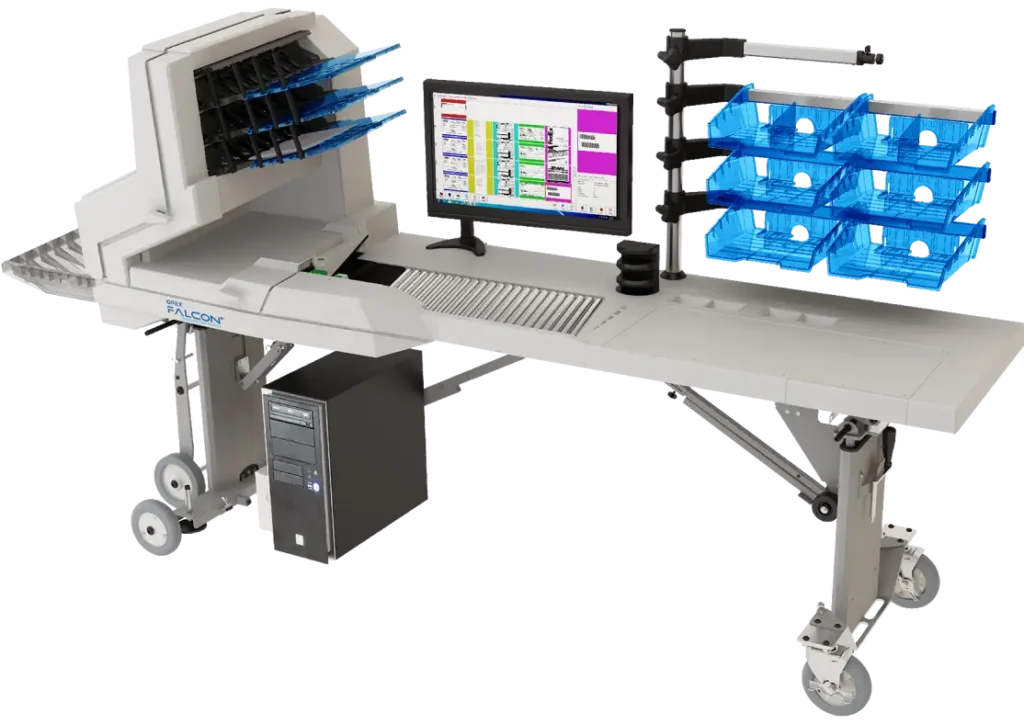
OPEX Falcon+
Ideal for high-volume, complex document processing that requires minimal prep time, such as scanning mixed batches of fragile, thick, or damaged documents without pre-sorting.
- Mailroom & payment processing
- Medical records & banking
- Archival & high-quality scanning
- Mobile scanning
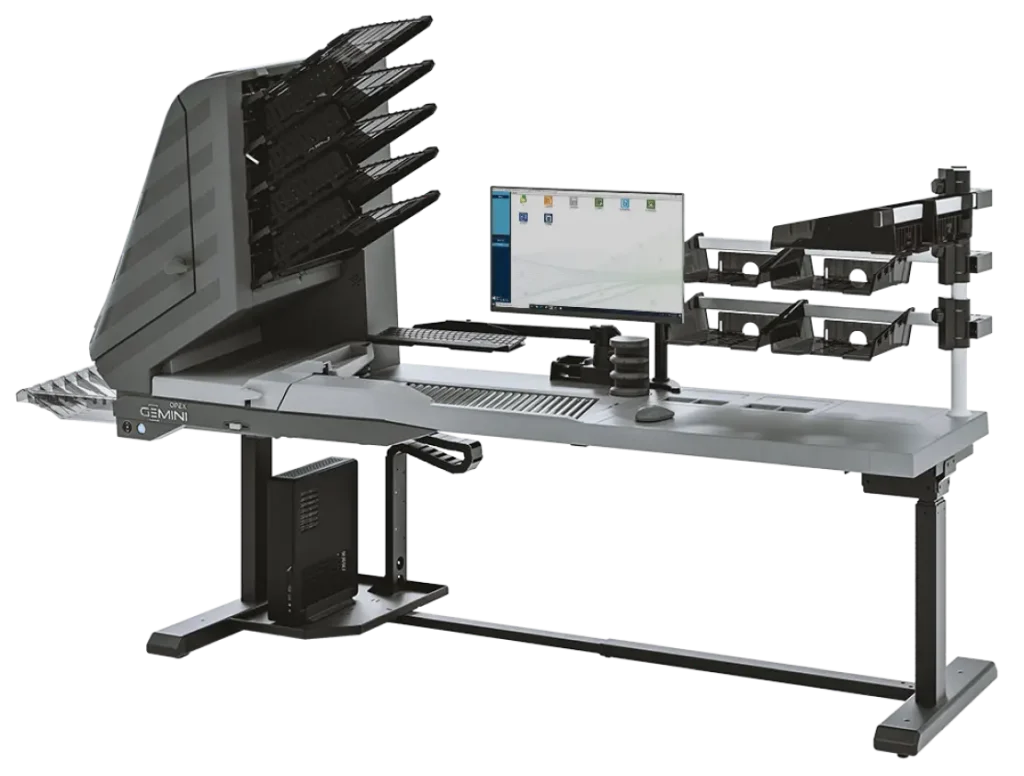
OPEX Gemini®
Ideal for high-volume, mixed-document, and complex scanning environments that require minimal document prep and high-quality imaging.
- Mixed & Complex Document Types
- Scan from Flat or Folder
- Archive Management
Industry Leaders Trust Mavro

Three OPEX scanners extract and scan all incoming mail regardless of daily fluctuations and without any pre-sorting. Mavro's Smart Batching™ technology recognizes payment types and routes transactions for appropriate processing, resulting in 60% fewer steps.
- 3 OPEX scanners
- 90% less manual handling
- 100,000+ transactions / day

Mavro's One-Touch Processing software integrated with OPEX scanners and secondary X-ray imaging to bring work in house for greater control, streamlined workflow and improved cost-efficiency.
- 3 OPEX Falcon+ RED scanners
- 30,000+ pages daily
- One-Touch Processing

Using a highly advanced infrastructure consisting of MavBridge software and OPEX scanners, BCBS now opens, preps and scans documents in one step. The system automatically extracts and validates data, previously performed manually and the paper never leaves the mailroom.
- 2 OPEX Falcon+ RED scanners
- 9,000+ pages per day
- 3.6 million subscribers
FAQs
Why do I need document processing software for my OPEX scanner?
MavBridge intelligent document processing software helps to take full advantage of the OPEX “One-Touch” Scanning capabilities by adding “One-Touch” Processing automation. This combination eliminates the need for manual pre-sorting and preparation, reducing labor costs by up to 75%.
Once documents are scanned using a simplified capture job, Mavro’s Smart Batching™ takes over to recognize and classify documents automatically, creating structured virtual batches by transaction type or additionally batching by key document index fields. This allows the batching to be automated anywhere in the workflow. This eliminates any presorting or outsorting and maintains the best possible transaction integrity. Documents are touched once, saving significant time and labor.
Why is Mavro the best document processing software for OPEX scanners?
No other company has as much experience with OPEX scanners as Mavro Imaging. Several members of our team were previously development leaders at OPEX and on the design group that created several OPEX scanning products. We have in-depth knowledge of all OPEX scanner features and how to maximize user benefits to the fullest extent.
The relationship between Mavro and OPEX is longstanding and strong. Mavro has been named Reseller of the Year several times during our partnership. We collaborate throughout the sales process and project implementation, with clear communication and accessible escalation paths. Should issues arise, we work together and eliminate any finger-pointing to ensure successful root cause resolution.
How do I optimize the automation for my OPEX scanners?
Optimizing OPEX scanners for automation involves minimizing manual document preparation, using intelligent post-scanning software for data extraction, and monitoring performance to maximize throughput. A true “one-touch” workflow will reduce labor costs and improve accuracy.
Does the Mavro Dashboard integrate with OPEX Insight?
Yes. Mavro’s advanced dashboard offers seamless and unique integration with OPEX’s Insight™ dashboard, providing access to real-time data on machine productivity and operator performance. Users can monitor key metrics—such as volume by batch, transaction, and page—along with information on all completed batches and jobs, all from a single interface. Comprehensive reports are easy to create and run for client billing, forecasting, and internal planning purposes.
How is one-touch processing different from one-touch scanning?
Mavro’s “One Touch” system is an intelligent solution that automates the entire document workflow. This system combines one-touch scanning (digitizing the document in a single step) with one-touch processing, which automates data extraction, sorting, routing, the application of business rules, and the elimination of exception conditions. By eliminating extraneous presorting and unnecessary physical movement of documents, the system maintains the best possible transaction integrity and optimizes labor application.